

LOG IN TO EACONOMY PORTAL
https://eaconomy.office2.directscale.com/#/Login
Enter your email address in username and then enter your password

CONNECT YOUR EACONOMY ON YOUR TELEGRAM ACCOUNT?
1. Go to telegram and search for @useridinfobot
2. Click on /start
3. Copy your ID
4. Paste it on your Telegram Details in your Eaconomy Portal: https://eaconomy.office2.directscale.com/#/Login

Take note of your Affiliate link link. Copy and paste it on your notepad.
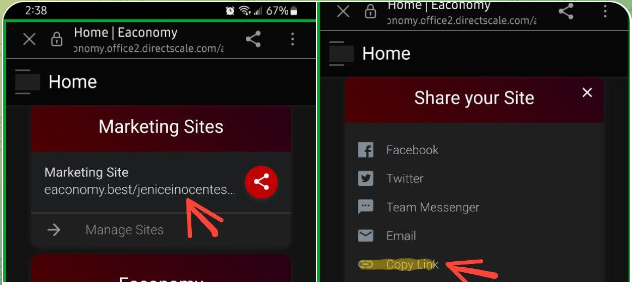
Get your referral link
ACCESS YOUR ECA COURSES
1. Go to Forex>ECA or Login here: https://www.learneca.club
2. Enter your Email Address and Password
3. Get access to all the courses:
– FOREX Academy
– STOCKS Academy
– CRPTO Academy
4. Learn more about how to utilize the MANARA pattern scanner in the Live Trading Session tab.
5. Attend live MASTERCLASS and LIVE TRADING SESSIONS
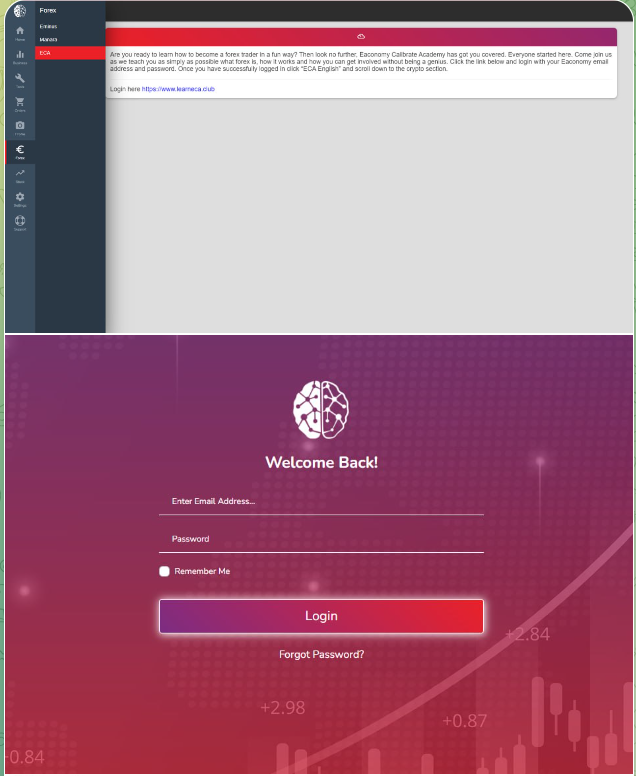

Watch Videos from ECA
Download Solexx on Playstore or Apps Store and install in your cellphone
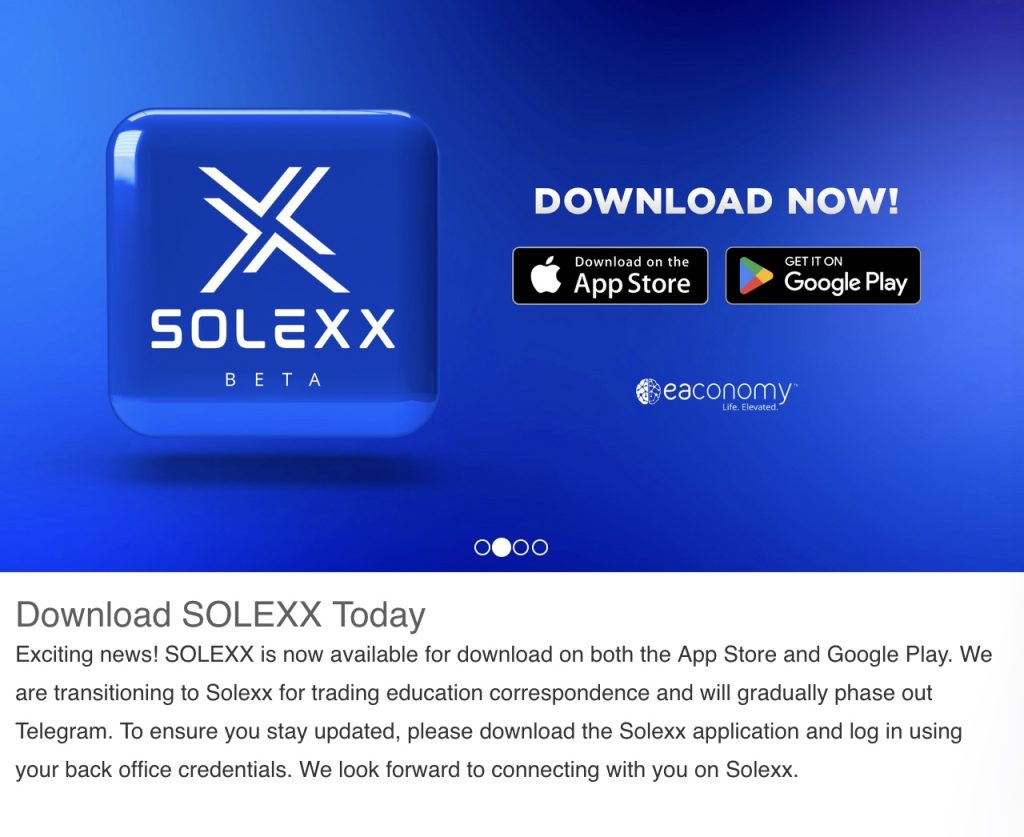
– Login using your Eaconomy credentials. Then, search for educators and subscribe to the following:
- Ralph Danqua (Forex and Manara)
- Edris Mahmoud (Gold and other Currency pairs)
- Abdallahh Harfouch (US30)
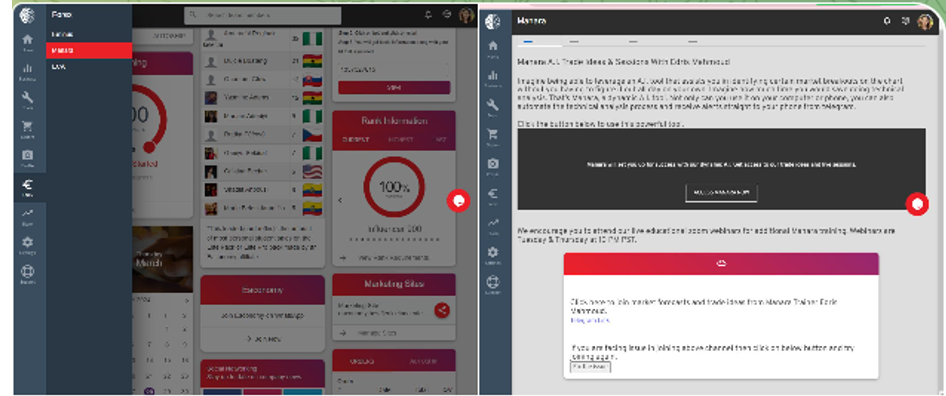
HOW ACCESS MANARA AI PATTERN?
1. Go to Forex > click Manara
2. Click ACCESS MANARA
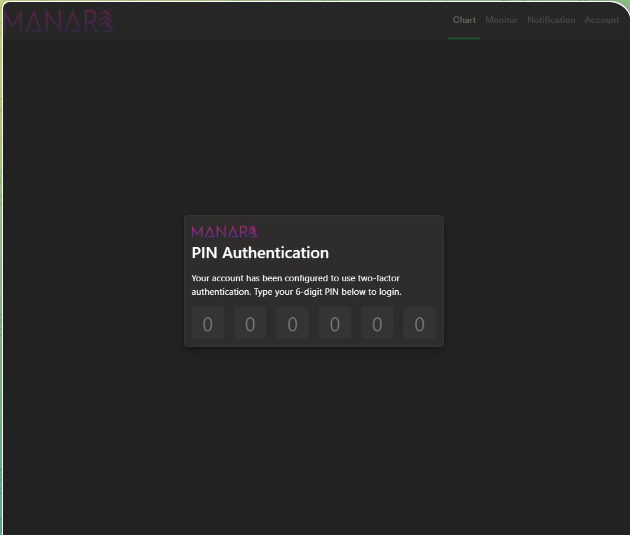
3. Create and Enter your own PIN Authentication
4. Go to Notifications and set the Settings & Watchlist filters
5. Click the Telegram blue button or go to @ManaraFXbot
6. Activate your ManaraFX bot. See steps here
SET YOUR PIN Authentication – Enter your own 6 digits PIN Authentication
SETUP NOTIFICATIONS IN MANARA
1. Go to Forex > Manara
2. Click ACCESS MANARA
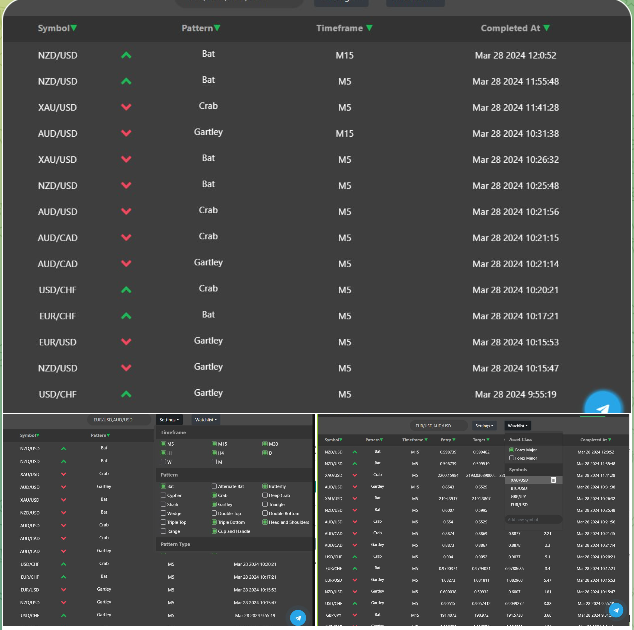
3. Go to NOTIFICATIONS
4. Set your WATCHLIST – These are the pairs that you want to monitor or get signal alerts Example: FOREX MAJORS, XAUUSD
4. Set your SETTINGS: – Choose the Timeframe & Patterns you want to monitor. Note: Bat, Crab, Gartley and Butterfly are the top
4 Harmonic Patterns
5. Click the Telegram button on the lower right side of the screen to get notifications in your Telegram or click this link: @ManaraFxBot
TRADE MANARA PATTERN SCANNER SIGNALS:
1. Go to Forex > Manara
2. Click ACCESS MANARA
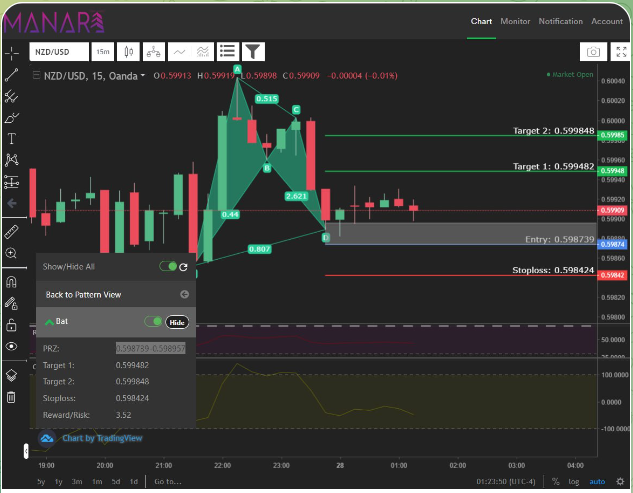
3. In the CHART window you can see the – ENTRY PRICE – TARGET PRICE – STOP LOSS
4. Verify if the market structure is in UPTREND, DOWNTREND or RANGING.
5. Trade the BUY signals if it is in UPTREND only.
6. Trade the SELL signals if it is in DOWNTREND only.
7. DO NOT take the trade if there is no clear trend.
8. You can enter the trade if the current price is in the PRZ or price zone or entry zone. the gray rectangle in the chart is the entry zone
9. Watch the PRODUCT UTILIZATION VIDEO
ACTIVATE MANARAFX bot
1. Go to @ManaraFxBot
2. Click START or chat /start
3. Chat /alert
4. The bot will ask for your email> Enter your email
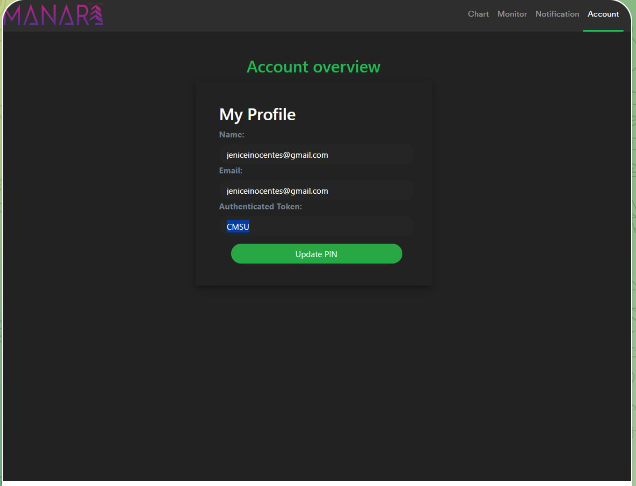
5. The bot will ask for your Authenticated Token: you can get it on the next step

HOW TO GET AUTHENTICATED TOKEN?
1. Log in to https://eaconomy.office2.directscale.com/#/Login
2. Go to Forex tab > Click Manara
3. Click to ACCESS MANARA
4. Click ACCOUNTS tab
5. Copy your AUTHENTICATED TOKEN
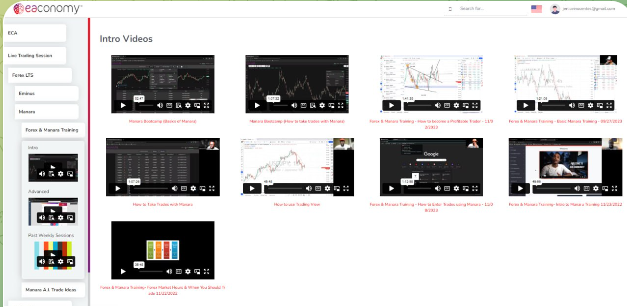
LEARN ABOUT FOREX & MANARA TRAINING
1. Login at https://www.learneca.club
2. Go to Live Trading Session
3. Click Forex LTS > Manara
4. Click Forex & Manara Training
5. Click the “INTRO“, “ADVANCE” and PAST WEEKLY SESSIONS” button – Past Weekly session are the recorded Manara Trainings in MASTERCLASS
JOIN LIVE ONLINE MASTERCLASS
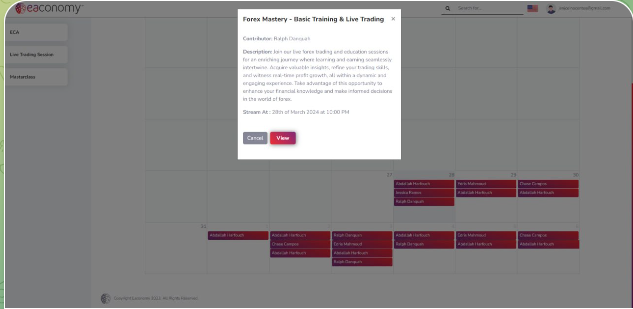
1. Login at https://www.learneca.club
2. Go to MASTERCLASS
3. Click the Educator’s name to view the timeslot & topic
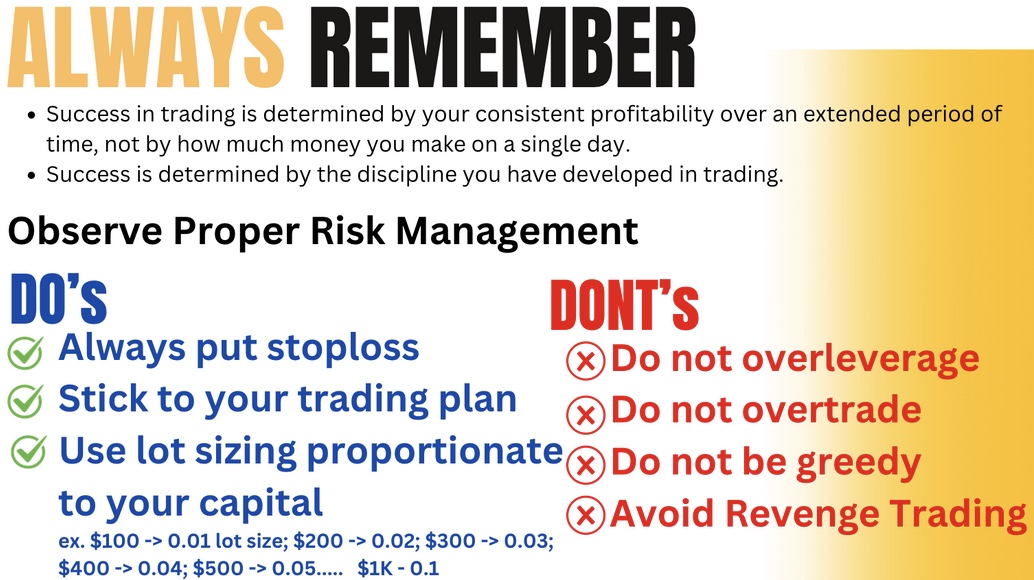
PROPER RISK MANAGEMENT: DO’s and DONT‘s in Forex Trading
WATCH MANARA PRODUCT UTILIZATION
Watch onboarding Video
Please send a message to your coach once you’ve completed all the steps above.
NEXT STEP: Join our Community Groups & Channels Thank you!


