
HOW TO CREATE A TRADING ACCOUNT ON VTMarkets
Step 1. Create a live account in VTMarkets
Click HERE to create VTMarkets Live Account.
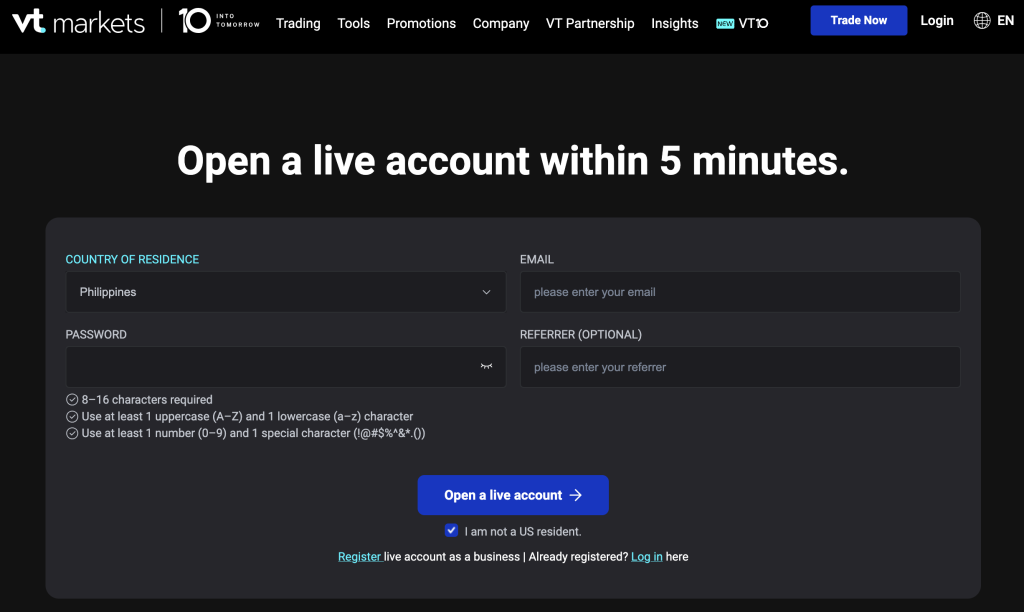
Select Country of Residence, Fill up Email and Password (No need to include Referrer).
Click Open a live account button.
Verify your account (upload your ID & proof of address)
Note: Your account needs to be fully verified to avoid problems when withdrawing your profit. While waiting to be fully verified, create a demo account.
STEP 2: Create a Demo Account
In VT Markets, Click Open Demo Account > Choose Platform: MT5 > Select Standard > Leverage: 1000 > Initial Balance: 1000 > Click Continue
STEP 3. Download MT5 (Metatrader 5) app in playstore/ App Store
STEP 4: Login your Demo Account to MT5
Go to your MT5 App Account > Click + > Find broker (XS Fintech)> Select server: XSFintech-DEMO > Input Login & Password (Trading Platform PW)
Once your demo account is okey, you’re ready to get onboarded on demo trading!
STEP 5: Familiarize yourself on how to navigate MT5.
To familiarize and navigate Metatrader 5 (MT5), CLICK HERE.
By this time, explore and navigate MT5 until you become familiar with its features. Try setting up: Currency Pair, Timeframe, Market Execution, SL, TP, Buy Stop, Sell Stop etc.
STEP 6: Practice Trading Using Demo Account.


